You tap a link. Something appears. The entire transaction feels like flipping a light switch — instantaneous, local, unremarkable.
It is none of those things. In the fraction of a second between the tap and the page, your request was chopped into pieces, those pieces were flung onto radio waves and copper and glass, relayed by dozens of machines owned by strangers, possibly fired through a cable lying on the floor of an ocean, answered, and reassembled on your screen. And the genuinely strange part — the part worth an essay — is that it arrived both reliably and privately. Every machine that touched it could read where it was going. Not one of them could read what it said.
Let's follow a single click all the way down and back, and then look at exactly how much of it stays secret.
Part 1You click, and it shatters
Here's the first surprise, because most people picture the internet wrong. There is no pipe from you to the server, no wire that your data flows down like water. Your message doesn't travel as one thing at all.
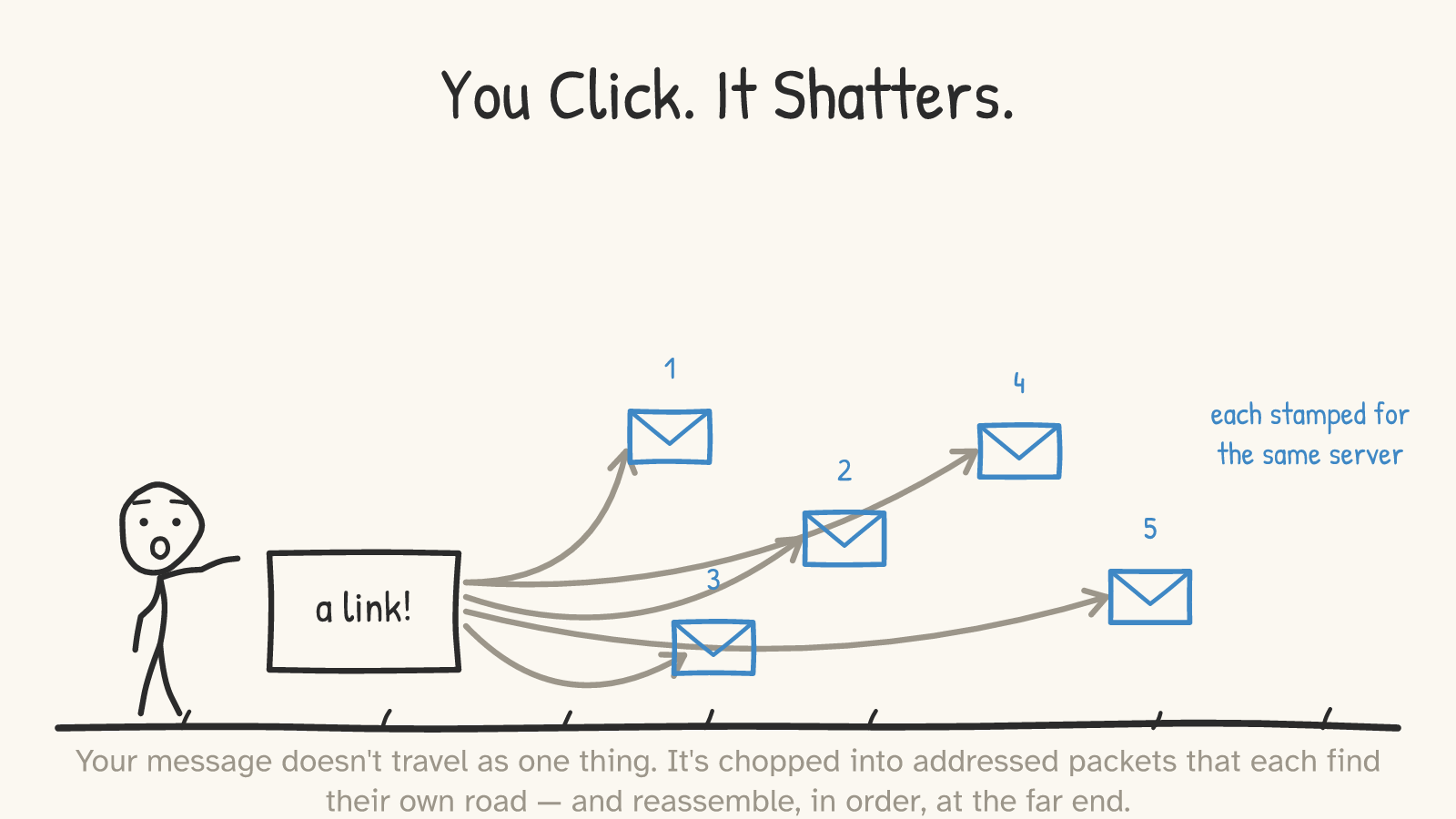
The moment you hit that link, your request is broken into packets — small chunks, each one stamped with the destination address, like numbered envelopes all addressed to the same house (the numbering that lets them be reordered is added by a layer called TCP, which we'll get to).1 The packets are sent off independently. They can take different routes, arrive out of order, and they're sorted back into sequence by the receiver. This is packet switching, and it's the founding idea of the internet: instead of reserving a dedicated line for your whole conversation — the way an old telephone call claimed a physical circuit from end to end for its entire duration2 — the network chops everything into packets that share the wires with everyone else's.
One precise note, because it matters later: this packet system is best-effort. The internet's core protocol (IP) makes no promise that any given packet arrives at all.1 Reliability — noticing a packet went missing and sending it again, putting them back in order — is a separate layer's job (TCP), riding on top.3 So when I say your click arrives "reliably," I mean the network is a flexible, lossy relay and a layer above it quietly cleans up the mess. Keep those two ideas apart; conflating them is the single most common way people get this wrong.
Part 2Out through your walls
The first hops are the humblest, and the easiest to picture because they're physically in your home.
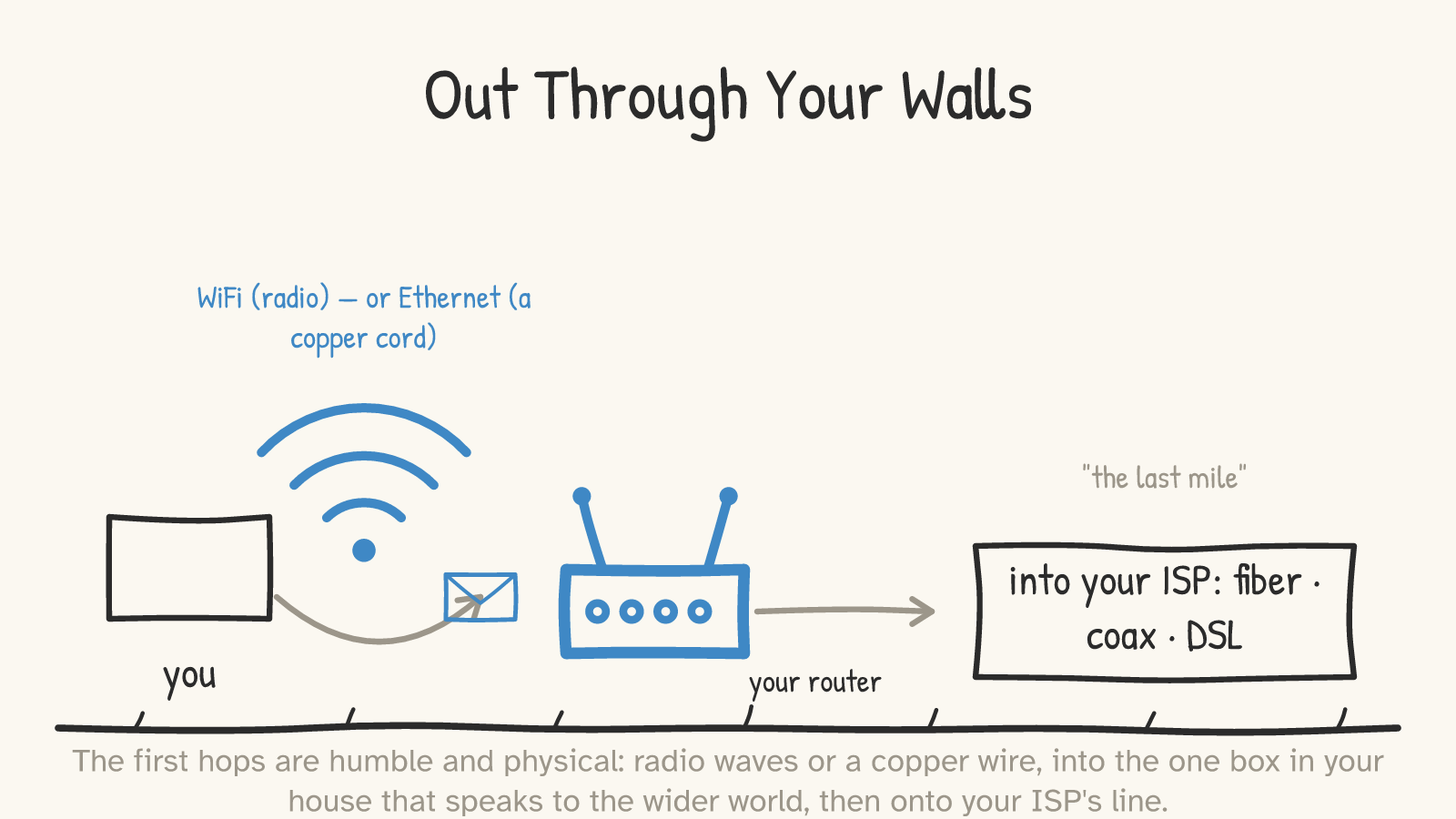
Your packets leave your device one of two ways: as radio waves over WiFi, or as electrical signals down a copper wire over Ethernet.4 Either way the first machine they reach is your router — the one box in your house that talks to the wider world. From there they go onto your ISP's access line: fiber, cable (coax), or DSL — the famous "last mile."
This is also the place to fix a confusion almost everyone carries, because the words get used interchangeably and they shouldn't. A switch and a router do different jobs at different levels. A switch moves data within your local network, forwarding frames by MAC address — a hardware label on each device.5 A router forwards data between networks, by IP address, choosing where to send each packet next.6 Your home "router" is really several devices in one box — a modem, a router, a switch, and a WiFi access point bundled together — which is exactly why the distinction blurs.6 But the distinction is real, and it's the hinge of the whole journey: the router is what reads the address and decides where your packet goes next.
Part 3It travels by the address
Now the part that should feel impossible. Your packet has to get to a specific machine that might be on another continent, and no single machine anywhere knows the whole route. There is no master map.
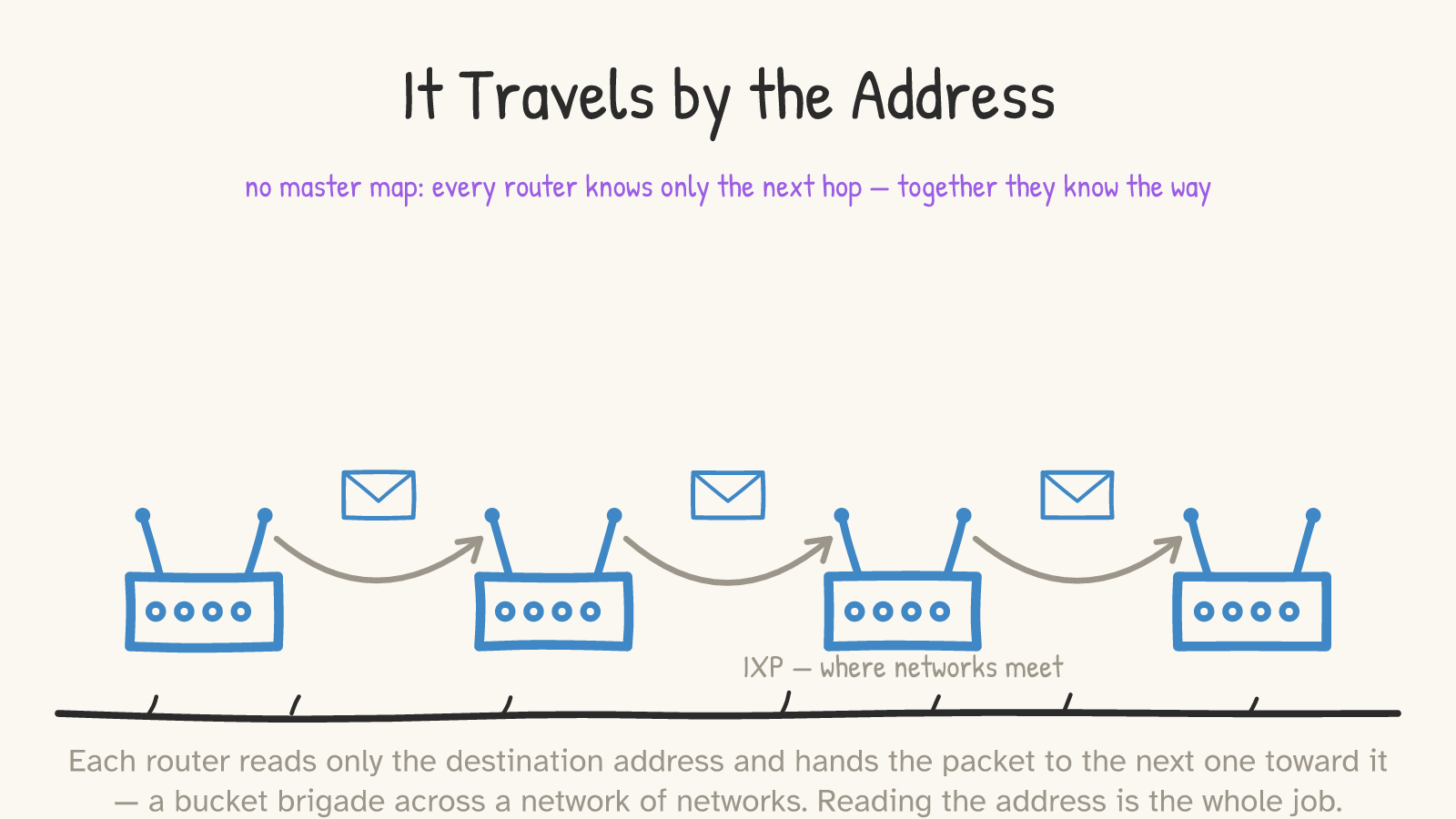
What happens instead is a relay. Each router reads only the destination address on the packet and hands it to the next router along the way toward it — and that one does the same, and the next, until the packet arrives.7 (The next hop is whatever that router's table says is the best way onward, which follows network policy and isn't always the most direct path.) Each machine knows only the next hop; together, they know the way. It's a bucket brigade across what is literally a network of networks: tens of thousands of independently run networks, stitched together. They meet and hand off traffic at Internet Exchange Points, and they advertise to each other which addresses they can reach using a protocol called BGP.8
The thing to hold onto: getting your packet anywhere depends on every router being able to read the address. That's the whole job. The address has to be legible to strangers — which is going to matter enormously when we get to privacy.
Part 4Under the ocean
Here is the leap nobody pictures. If that server is on another continent, your packet does not go up to a satellite. It goes down — into a cable on the floor of the ocean.
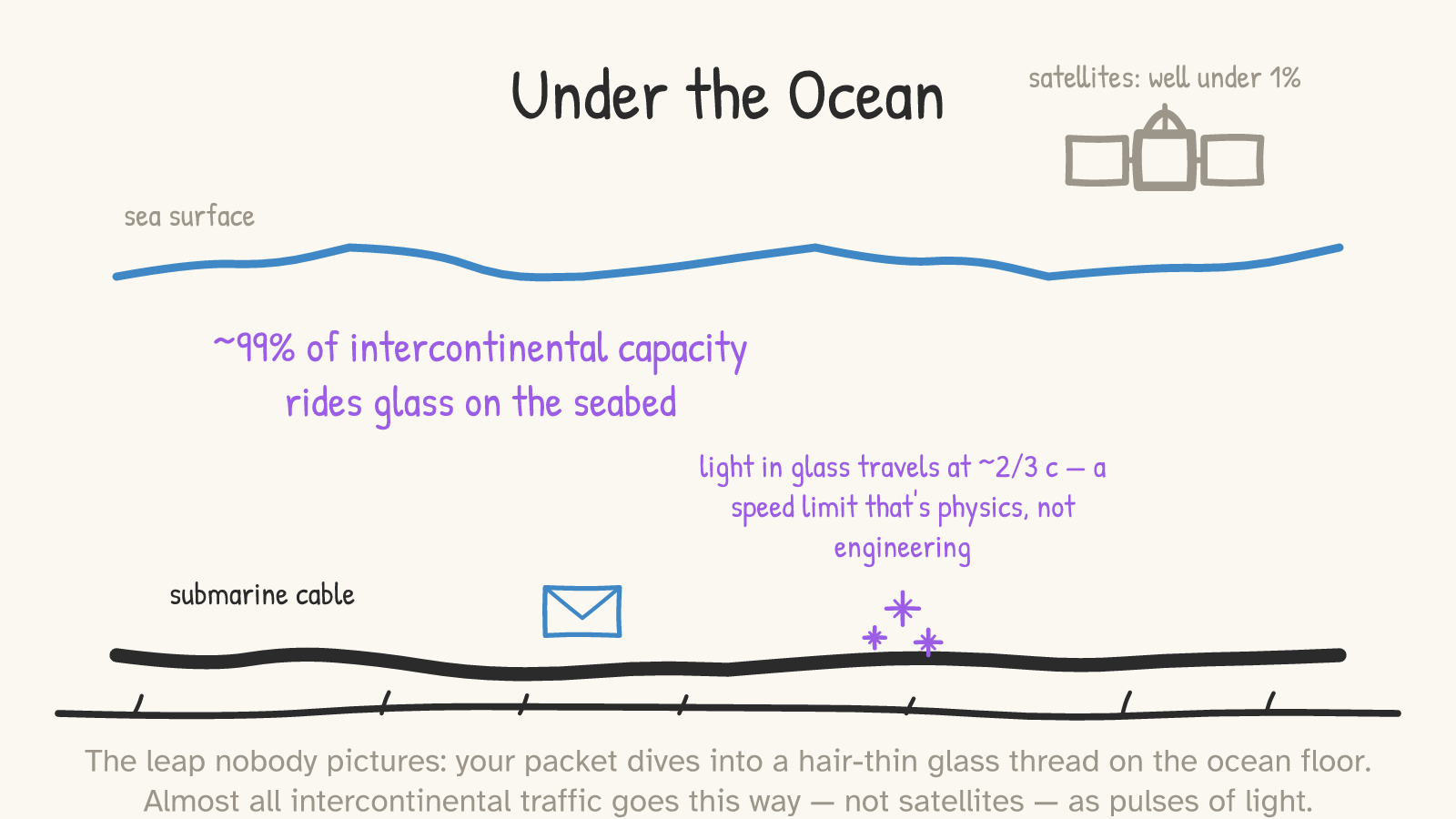
Submarine fiber-optic cables — hair-thin threads of glass running across the seabed — carry the overwhelming majority of intercontinental data: well over 99%, by the usual measure, which is international link capacity rather than a precise count of bytes.9 Satellites carry a sliver; one widely cited regulatory figure put them near 0.37% of international capacity, though that figure is now over a decade old.9 (New low-orbit constellations like Starlink are growing fast, but total cable capacity still dwarfs satellite by orders of magnitude.9) Your data crosses the ocean as pulses of light in glass, refreshed by optical amplifiers spaced along the cable.
And this is where you meet a hard physical wall that no amount of engineering removes. Light in glass travels at about two-thirds the speed of light in a vacuum — roughly 200,000 km/s.10 That sets a floor on latency that is physics, not a slow network. A round trip from New York to London measures around 84 milliseconds in practice. The propagation floor is already ~56 ms in a straight line — and real cable routes aren't straight, which pushes that floor toward ~60 ms; the remaining gap up to ~84 ms is mostly time spent waiting in router queues.11 So when people say the internet is "instant," gently correct them: across an ocean it's about a tenth of a second, and most of that tenth is the universe's speed limit, not your provider's fault.
Part 5(It's often a shorter trip than that)
Before this turns into a story where every click crosses an ocean, the honest correction: most of them don't.
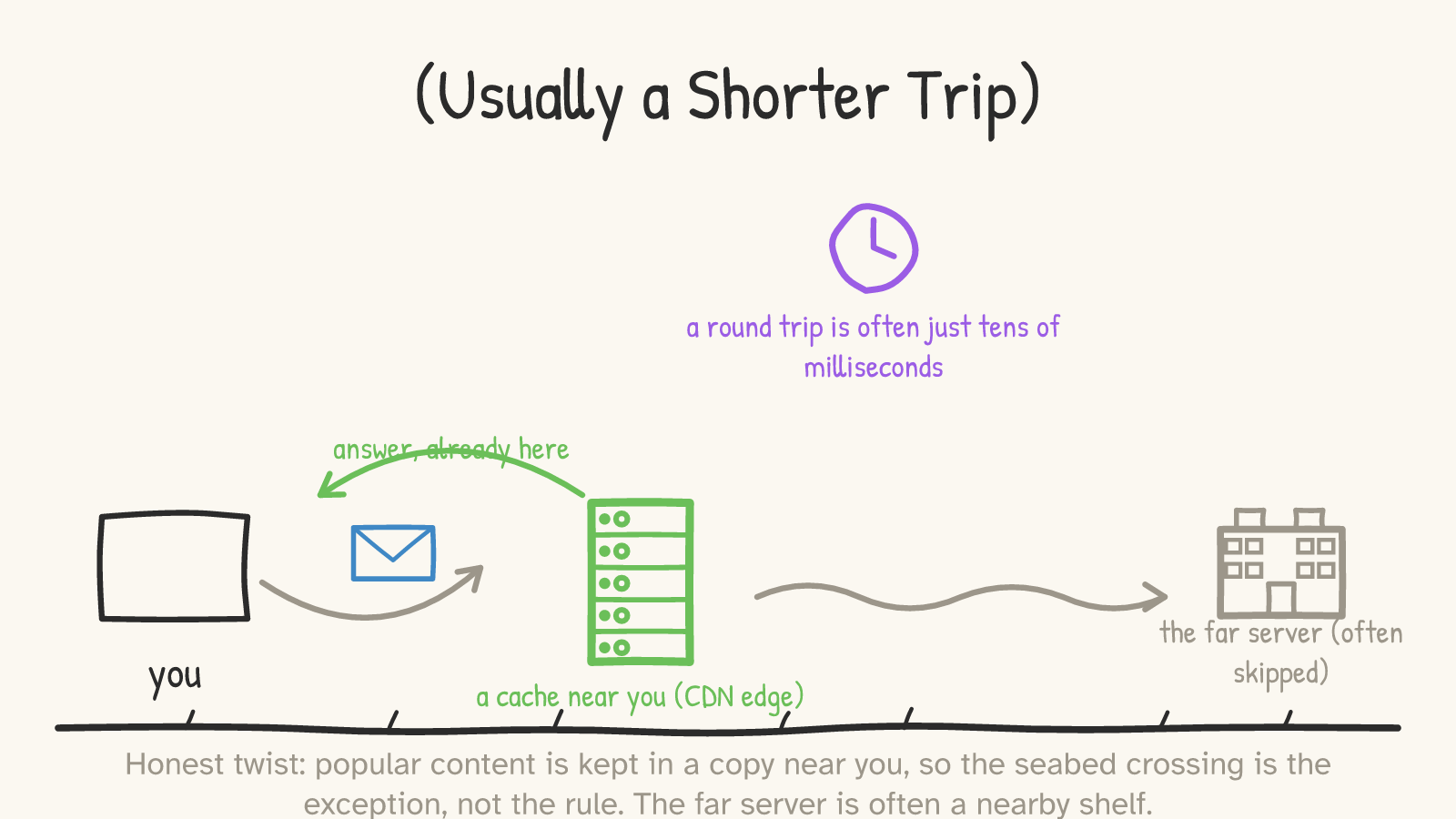
Popular content — the video, the news site, the app — is usually kept in a copy near you, on a content delivery network (CDN): a web of cache servers spread around the world, so your request is answered by a nearby one instead of the distant origin.12 A huge share of the web is served this way.12 So the dramatic seabed crossing is the paradigm case — what happens when you genuinely reach a faraway, uncached server — not what happens every time you load a page. Often "the far server" is a shelf a few miles away, and the whole round trip is just tens of milliseconds. The ocean is there when you need it; usually, you don't.
Part 6Postcard, or sealed envelope
So your packet just crossed dozens of machines run by people you've never met — your ISP, a handful of backbone networks, whoever owns that cable. Every one of them could look at what went by. Why isn't the whole internet reading your password?
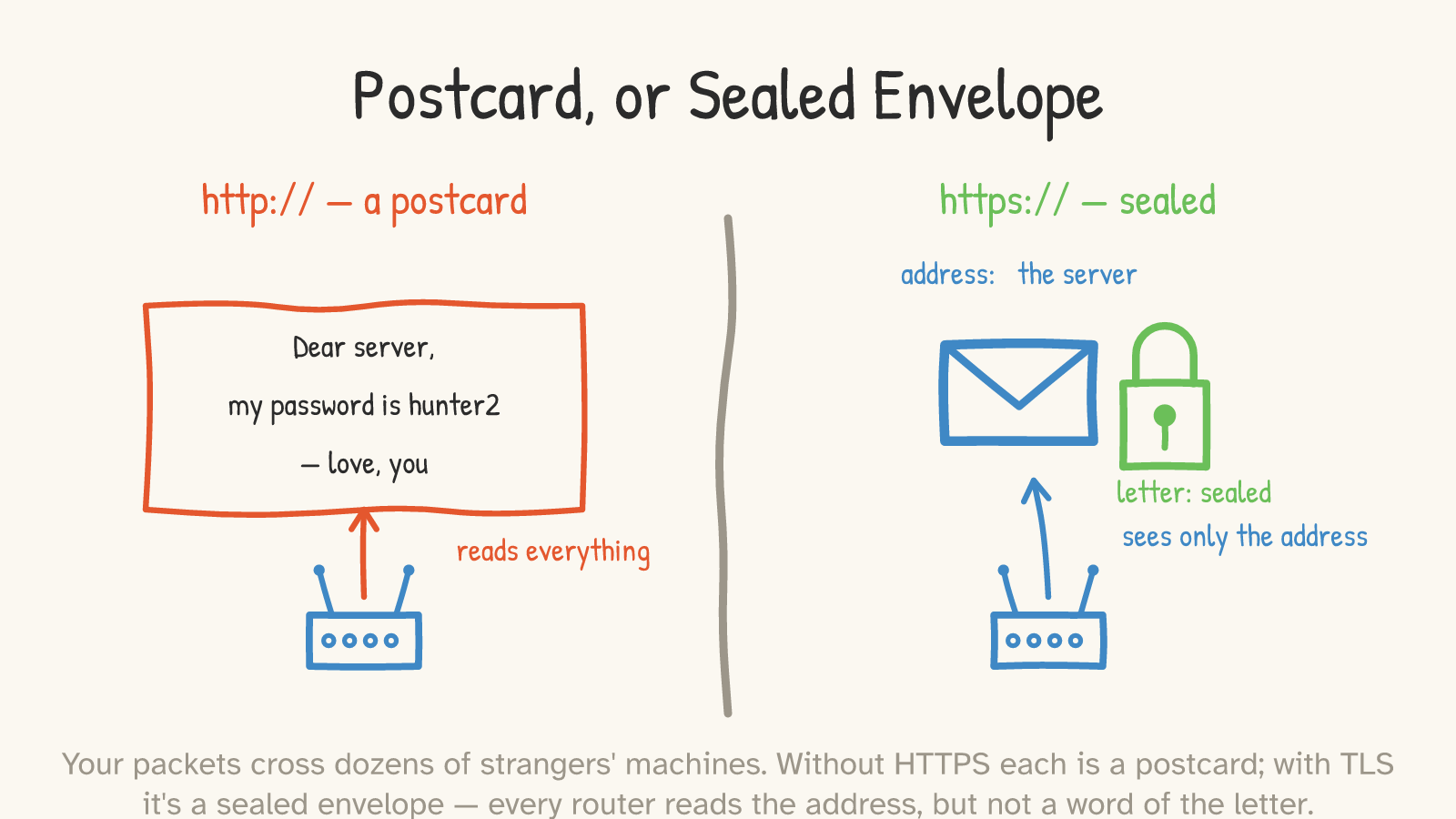
Because of the padlock. When you connect over HTTPS — which today is the default; roughly 95% of pages loaded in Chrome are encrypted13 — your packets are wrapped in TLS, and the difference is the difference between a postcard and a sealed envelope.
Without encryption, each packet is a postcard: the address and the message are out in the open, and every router it passes is free to read "my password is hunter2." With TLS, the message is sealed. The contents — the actual web page, your login, the form you submitted — are encrypted end to end.14 But the address stays on the outside in plaintext, because, as we just saw, every router needs to read it to forward the packet. So the routers do exactly what a postal worker does with a sealed letter: they read the address and move it along, and the letter inside is none of their business.
How do the two ends agree on a seal a stranger in the middle can't forge? A brief handshake: your device and the server negotiate a fresh, single-use shared key, and the server proves it really is who it claims by presenting a certificate signed by an authority your browser already trusts.15 Because that key is fresh each time and never stored (a property called forward secrecy), even someone who recorded your encrypted traffic off a tapped cable couldn't go back and decrypt it later. One caveat worth stating plainly, because the padlock oversells itself: it means the connection is encrypted and you're talking to whoever controls that domain name — it does not mean the site is honest. Scammers can get valid certificates too; a padlock on a phishing page is still a padlock.16
Part 7What's still on the outside
Now the honest limits, because this is where both the optimist and the cynic get it wrong, and the truth is the precise middle.
“The optimist says: "It's got the padlock, so nobody can see anything I do." The cynic says: "It all flows through strangers' wires and governments tap the cables — encryption is theater."”
They're both wrong, and in opposite directions.
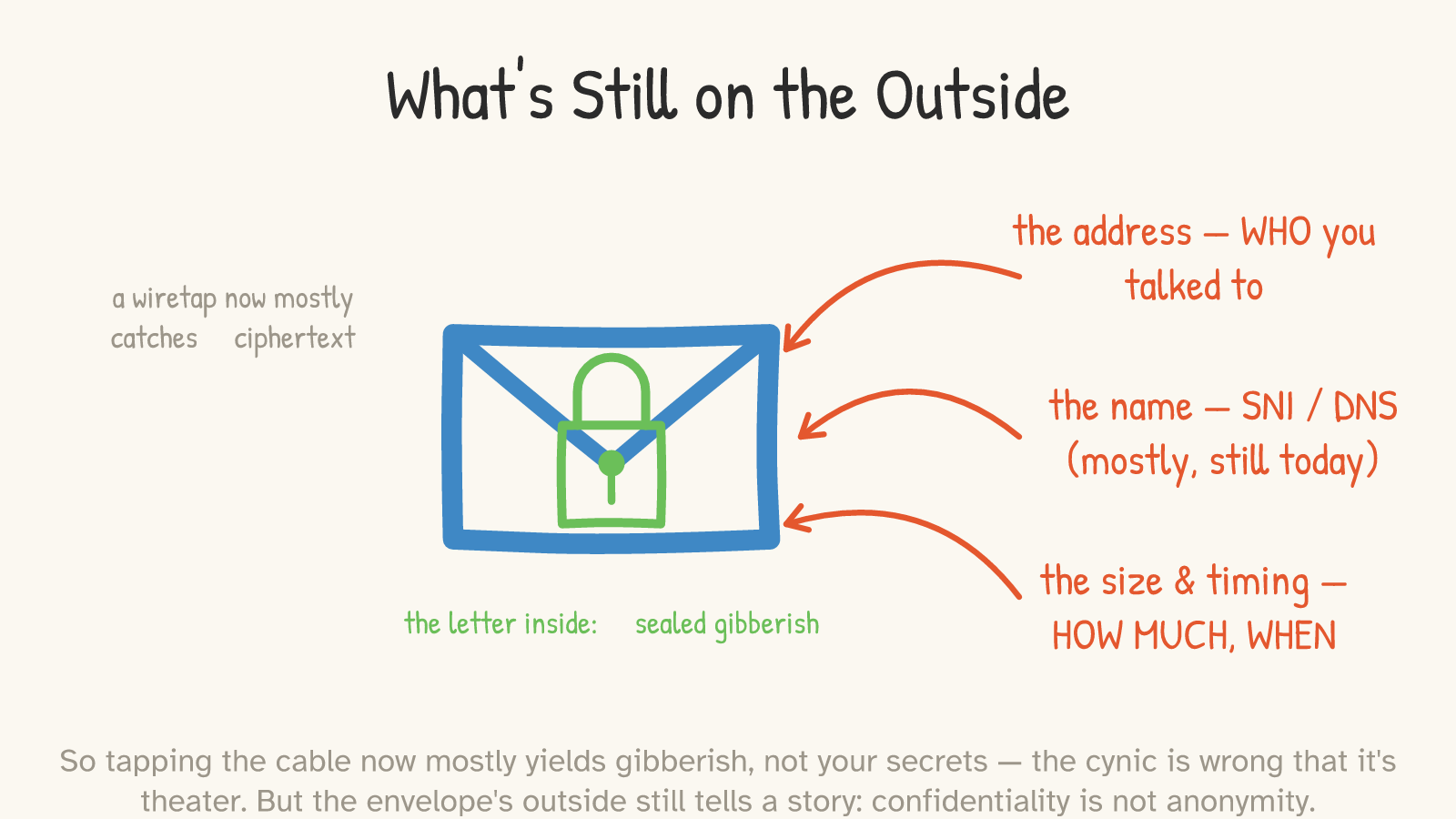
The cynic first, because the news supports them and they're still wrong. Yes, the cables are tapped — the 2013 Snowden disclosures revealed exactly that kind of bulk fiber collection, and it was real.17 But here's what changed: back then, much of that traffic was unencrypted, so a tap yielded readable content. Today, with HTTPS nearly everywhere, tapping the cable mostly yields ciphertext — gibberish.17 The seal works. Surveillance didn't stop; it moved — from reading contents off the wire to collecting metadata and going after the endpoints. That's a real exposure, but it is a smaller and different one than "they read everything," which is what makes encryption emphatically not theater.
But the optimist is wrong too, and this is the load-bearing point of the whole essay: the seal hides what you said, not that you said it, or to whom. The envelope's outside still tells a story. An observer can still see the address — which server you connected to. They can often still see the name of the site you're visiting, because the hostname has historically traveled in the clear during the TLS handshake; a newer standard called Encrypted Client Hello encrypts that real hostname, though your destination IP (and a generic cover name) still reveal roughly where you're headed — and as of its 2025 standardization, ECH isn't deployed everywhere yet.18 Your DNS lookups — the "what's the address for this site?" questions — were historically plaintext too; many systems now encrypt them by default, but it depends on your OS, browser, and network, and even then your DNS resolver still learns what you look up.19 And even when every name is hidden, the size and timing of your packets leak a surprising amount: traffic that nobody can read can still be fingerprinted by its shape.20
The phrase for all this is the one to remember: confidentiality is not anonymity. Encryption hides the letter. It does not, by itself, hide who you are writing to, or when, or how much.
Part 8A heartbeat, sealed
Step back and look at the whole thing at once.
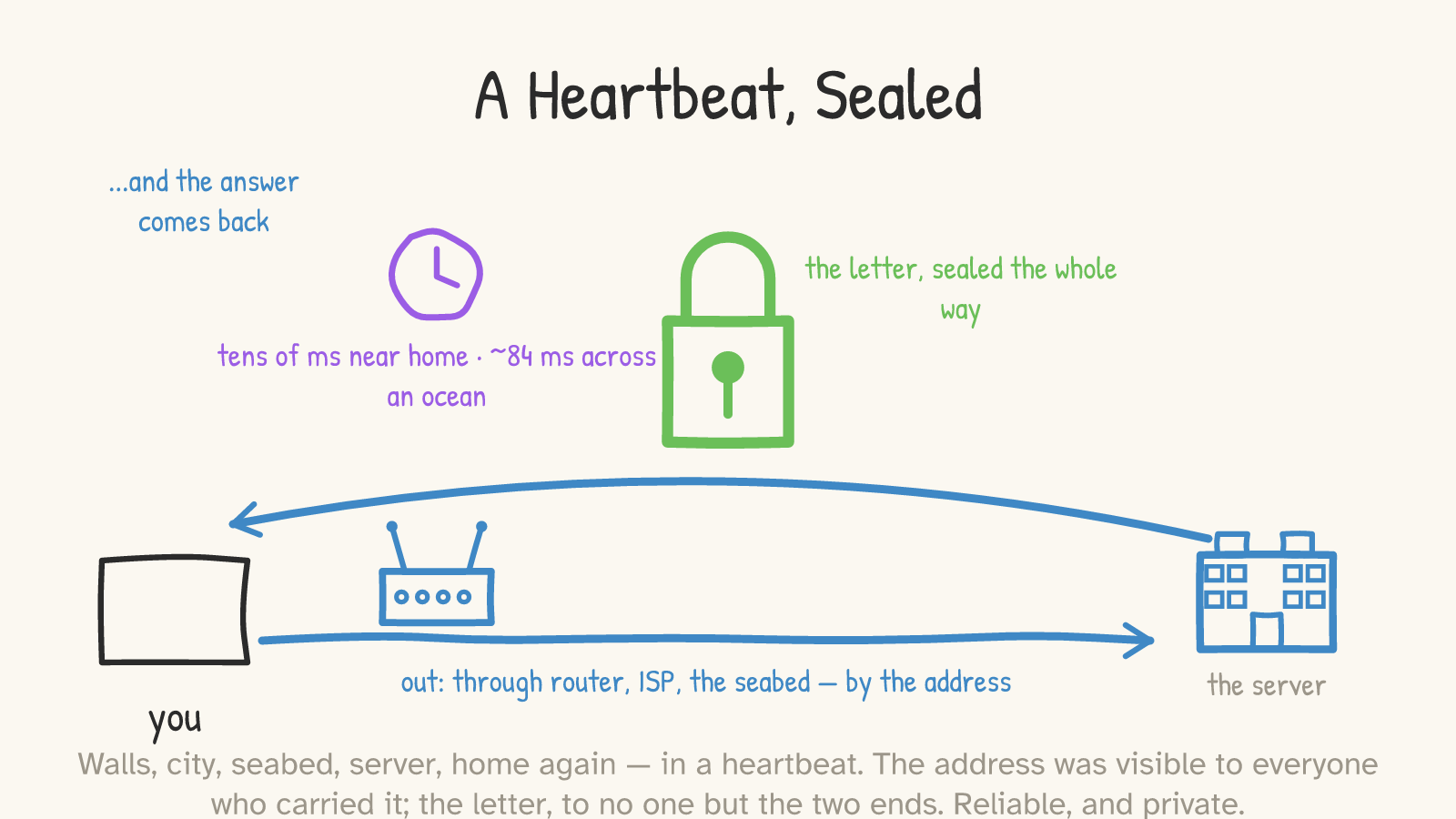
You tapped a link. Your message shattered into addressed packets that left your house as radio and copper, hit your router, rode your ISP's line into a network of networks, got relayed hop by hop by machines that each knew only the next step, possibly dove into a glass thread on the seabed and crossed an ocean at two-thirds the speed of light, reached a server (or, more likely, a cache near you), and came home — all of it in roughly the time it takes your heart to beat once or twice.
And the whole way, two things were true at once. The address was visible to everyone who carried your packet — it had to be, or the packet would have gone nowhere. And the letter was sealed to everyone but the two ends — so the strangers who relayed it moved it along without ever reading a word. Reliable, because a lossy relay has a tireless layer above it patching the gaps. Private, because the contents wear a seal the carriers can't break — even as the envelope's outside still quietly says where it's going.
That's the casual miracle hiding inside the most ordinary thing you do all day. Not magic. Just a very good postal system, running at the speed of light — one that reads every address out loud, and never once opens the mail.
Footnotes & receipts
- Packets & packet switching. A message is segmented into IP packets; each IP header carries source and destination IP addresses, and TCP adds ports and sequence numbers used to reassemble the data in order. IP itself is defined as an unreliable, best-effort datagram service. Source: IETF RFC 791 (Internet Protocol, 1981) and RFC 793 (TCP, 1981). Tier 1 (standards). Reassembly/ordering is a TCP function (see note 3). ↩
- Circuit switching contrast. The traditional telephone network (PSTN) reserved a dedicated end-to-end path for a call's full duration; packet switching instead shares links among many flows. Standard networking definition; the contrast is the conceptual point, not a measured claim. Tier 3. ↩
- Reliability is TCP, not IP. TCP (RFC 793) provides reliable, ordered delivery via sequence numbers, acknowledgements, and retransmission, layered on top of IP's best-effort packets. UDP is the packet-switched-but-unreliable counterexample. So "reliable" describes the TCP layer, not packet switching per se. Tier 1. ↩
- First hop: WiFi vs Ethernet. WiFi is radio (IEEE 802.11; 2.4/5/6 GHz bands); Ethernet is electrical signaling over twisted-pair copper (IEEE 802.3). Tier 1 (IEEE standards). ↩
- Switch = Layer 2. A Layer-2 switch forwards Ethernet frames (the link-layer unit) within a local network by MAC (hardware) address; it does not examine IP addresses. (IEEE 802.1D bridging.) Managed and "Layer-3" switches do more, but the L2 forwarding unit is the frame; the L3 unit is the packet. Tier 1/2. ↩
- Router = Layer 3; the home box conflation. A router forwards IP packets between networks by IP address, using a forwarding table (longest-prefix match) and decrementing the packet's TTL; it does not read the payload. A consumer "router" typically combines modem + router + Layer-2 switch + WiFi access point in one unit, which is why the terms blur. Modern "Layer-3 switches" also do both — but the conceptual L2 (MAC, within a network) vs L3 (IP, between networks) distinction holds. Sources: RFC 1812 (router requirements); vendor IP-forwarding docs (e.g. Oracle Solaris). Tier 1/2. ↩
- Hop-by-hop forwarding. Each router looks up the destination IP in its forwarding table and sends the packet out the interface toward the next hop closer to the destination; no router holds the entire path. Tier 1/2. ↩
- Network of networks: IXPs and BGP. The internet is ~tens of thousands of independently administered networks (Autonomous Systems) interconnected; they exchange traffic at Internet Exchange Points (often via settlement-free peering) and advertise reachable address prefixes via the Border Gateway Protocol. Source: RFC 4271 (BGP-4, 2006); IXP operator explainers (e.g. JPNIC). "Network of networks" is a standard descriptive phrase, not a single attributable coinage. Tier 1/2. ↩
- ~99% of intercontinental data via submarine cable. TeleGeography (Alan Mauldin), "Do Submarine Cables Account For Over 99% of Intercontinental Data Traffic?" (2023), citing FCC capacity data showing satellites at ~0.37% of U.S. international capacity. SCOPE: this is intercontinental / international data, NOT "all internet traffic" (most traffic is domestic and never touches a submarine cable); and it derives from international capacity figures (the underlying FCC satellite datum is ~2013 vintage), which TeleGeography itself flags as approximate. Some phrasings put it at "95–99%." Starlink/LEO capacity is growing but remains far below total cable capacity (specific Tbps comparisons are analyst estimates and are not asserted here as hard figures). Tier 1 (TeleGeography is the primary measurement org for submarine cables). ↩
- Speed of light in fiber. Light in silica fiber travels at roughly two-thirds of c — about 200,000 km/s (refractive index n ≈ 1.47; speed = c/n). This is a material/physical constant, approximate across fiber types and wavelengths (~196,000–205,000 km/s). Tier 1 (optical physics). ↩
- NY–London round trip. Measured RTT ≈ 84 ms (WonderNetwork ping data, 2025 snapshot — Tier 3; varies by path, time, and congestion). The straight-line propagation floor for ~5,600 km each way at ~200,000 km/s is ≈ 56–60 ms RTT; the gap above that is non-straight routing plus queuing/processing delay (the variable, congestion-driven component). Tier 1 (physics) for the floor; Tier 3 for the measurement. ↩
- CDNs / edge caching. Content delivery networks cache content at points of presence near users, so requests are answered from a nearby edge rather than the distant origin; a large share of web traffic is served this way (e.g., HTTP Archive's Web Almanac reports a majority of HTML requests served via CDNs). Tier 2/3. Used here to scope the "across the ocean" claim, not as a precise market-share figure. ↩
- HTTPS adoption. Google's Transparency Report shows roughly 95% of pages loaded in Chrome are served over HTTPS (≈93–94% desktop, ≈98% Android; 2024). SCOPE: Chrome page loads from opted-in users, skewed toward popular sites — not "all internet traffic." Cloudflare Radar reports a similar ~90–95% of requests over HTTPS by a different methodology. Tier 1 (Google), Tier 2 (Cloudflare). ↩
- What TLS encrypts. TLS encrypts the application-layer payload (HTTP headers and body — the "letter") end to end; it does not encrypt the IP header, so the destination IP address remains in cleartext for routing. Source: RFC 8446 (TLS 1.3, 2018). Tier 1. ↩
- The handshake & certificate trust. In the TLS 1.3 handshake, client and server derive shared session keys via ephemeral Diffie–Hellman key exchange (providing forward secrecy), and the server authenticates with a certificate chaining to a Certificate Authority trusted by the browser/OS. Sources: RFC 8446; CA/Browser Forum Baseline Requirements. Tier 1/2. ↩
- Padlock ≠ trustworthy site. A domain-validated (DV) certificate verifies only control of the domain, not the legitimacy of its operator; phishing sites routinely obtain valid certificates (Let's Encrypt issues DV certs automatically). The padlock means "encrypted + you're talking to this domain," not "this site is safe." Tier 2 (CA/Browser Forum; Let's Encrypt). ↩
- Cable tapping, then and now. The 2013 Snowden disclosures documented two distinct kinds of fiber tapping — UPSTREAM (bulk collection at backbone/transit choke points) and MUSCULAR (the then-unencrypted links between Google's and Yahoo's own data centers) — yielding plaintext content at scale (contemporaneous reporting, e.g. The Washington Post / The Guardian / Ars Technica, 2013 — Tier 3). With near-ubiquitous HTTPS today, a cable tap of web traffic now mostly yields ciphertext for payloads; network surveillance has shifted toward metadata (IP, hostnames, DNS, traffic patterns) and endpoint access. Analysis is the logical consequence of TLS adoption (Tier 1 standards) plus the reporting (Tier 3). ↩
- SNI and Encrypted Client Hello. Historically the TLS ClientHello carries the destination hostname (Server Name Indication) in plaintext, so a network observer sees which site you visit even over HTTPS. Encrypted Client Hello (ECH) encrypts it; ECH was standardized in 2025 as RFC 9849, but deployment is partial (supported by some providers/browsers, not universal), and a generic "outer" SNI can remain visible for server selection. Source: RFC 9849 (ECH). Tier 1. ↩
- DNS leakage. DNS lookups were historically sent in plaintext (UDP port 53), revealing the domains you resolve to your ISP and on-path observers, unless you use encrypted DNS — DNS-over-TLS (RFC 7858) or DNS-over-HTTPS (RFC 8484). Adoption is partial. Tier 1. ↩
- Traffic analysis. Even fully encrypted traffic leaks metadata — packet sizes, timing, volumes, connection duration — from which websites and activity can be fingerprinted. Peer-reviewed traffic-analysis literature (e.g., Liberatore & Levine 2006; Herrmann et al. 2009). Tier 1. ↩